


DREO
4.82.10K Reviews
App Specs
- Version
- 3.7.0
- Updated On
- License
- Free
- Downloads
- 500,000+
- Developer
- DREO Corp
- Categories
- Lifestyle
- Platform
- Android
Screenshots
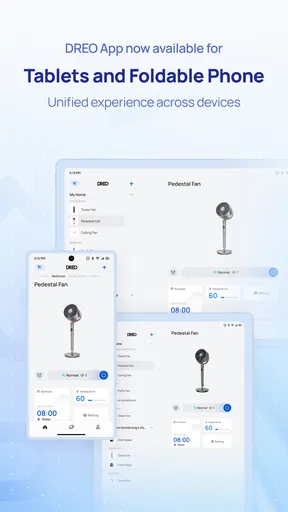
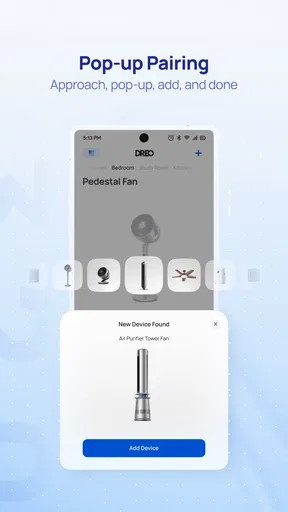
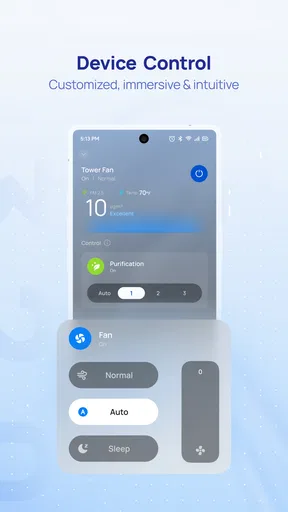
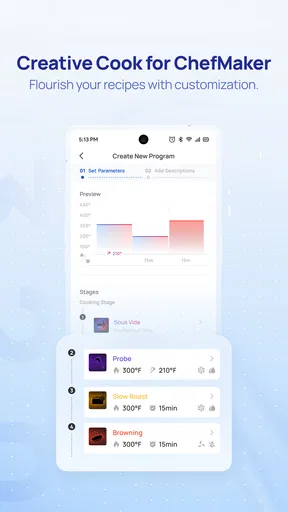
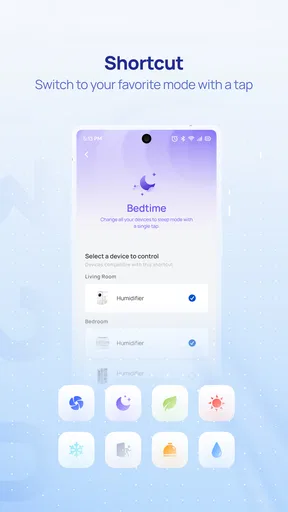
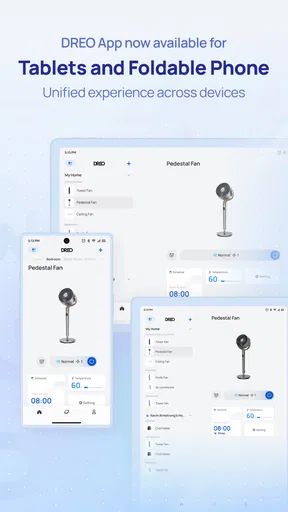
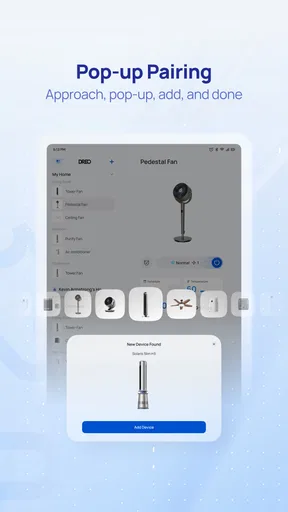
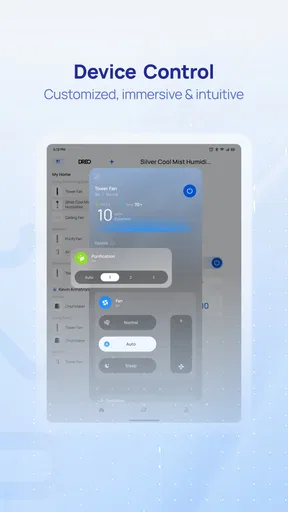
 Analysis by AppCompare
I approached DREO as a practical lifestyle companion rather than another app to open once and forget. Developed by DREO Corp, it is designed to bring the company’s smart-home experience into one mobile space. That makes the important question less about whether it looks polished and more about whether it genuinely simplifies the way you manage compatible DREO products at home.
After spending time with it, my view is fairly clear: this is most useful when you already own, or plan to use, more than one DREO device. The app gives those products a shared place for setup, control, and everyday routines. If you only want a general smart-home dashboard for equipment from many unrelated brands, your priorities may point elsewhere. But for someone building a DREO-centered home, the convenience is much easier to appreciate.
What to consider before making DREO your home-control app
The first decision is compatibility. DREO is not a universal control panel in the broad sense; its value comes from how it connects with the DREO products in your home. Before installing it, I would think about the devices you actually use and whether you want one manufacturer’s ecosystem to organize them. That question matters more than the attractive promise of a “smarter lifestyle.”
The app is free, which removes the main barrier to trying it. It is listed for everyone and works on Android devices running version 8.0 or later, so the technical entry point is reasonably accessible for people who are not using a recent phone. The current version is 3.7.0, and the app has been available since September 30, 2021. Those details suggest an established product rather than a brand-new experiment, although the quality of your experience will still depend on your phone, network, and connected equipment.
I also look at whether an app earns trust through continued use. DREO has an average rating of 4.8 from around 28 thousand ratings, with roughly 2.1 thousand written reviews and over 500 thousand installs. I do not treat those figures as proof that every household will have a smooth setup, but they do indicate that the app has reached a meaningful audience and that many users find it worthwhile.
The real decision is convenience versus ecosystem commitment
A dedicated manufacturer app has one obvious strength: it can understand the products it was built to support more closely than a generic remote-control app. In practice, that can mean less hunting through separate menus and fewer disconnected control methods. The trade-off is that you are choosing to organize part of your home around DREO rather than keeping every device independent.
That trade-off is easy to overlook when buying a single appliance. If you expect to add another compatible product later, the decision becomes more significant. A shared app can save time, but only if you are comfortable continuing with that ecosystem. I would not install it simply because I want a general-purpose smart-home solution; I would install it because DREO products are already part of my routine.
Worth Reading Before You Choose

EA SPORTS FC Mobile 26 Is a Bigger Football Game, but It Takes Time

Flipboard Shows What News Apps Must Do Beyond the Feed

Switching to Android Auto Means Rethinking Your Driving Routine

Google Calendar Makes a Crowded Week Easier to Manage

Ludo King Makes the Most of the Minutes Between Plans

Baby Panda World Brings Quick Play to Modern Phones, but Its Game Library Feels Busy
There is also a difference between occasional control and daily management. If you only need to change a setting once in a while, the app may feel like an extra step compared with pressing a physical button. Its stronger case is repeated use: checking a device, adjusting it from another room, or keeping related controls together instead of remembering several separate interfaces.
Getting started without turning the setup into a project
My advice is to begin with one device and one clear purpose. Install the app, connect the product you use most often, and test the basic controls before trying to organize everything at once. This makes it easier to notice whether the connection is reliable and whether the app’s layout feels natural on your phone.
Keep the phone close to the device during initial setup, and avoid changing several things simultaneously. When a smart-home connection fails, it is tempting to blame the app immediately, but the cause can be the phone, the home network, the device, or a missed step. A staged setup gives you a better chance of identifying the actual problem instead of repeating the whole process.
One useful habit is to decide in advance which controls you need most often. If you mainly want quick adjustments, focus on reaching those controls with as few taps as possible. If you are managing several products, give yourself time to learn the app’s device organization rather than assuming the default arrangement will match your habits.
Where the app wins in everyday use
The strongest part of DREO is the sense of continuity it can give a DREO-based home. Instead of treating every product as an isolated purchase, the app creates a central place to interact with them. That is a modest idea, but it becomes valuable when you are tired, busy, or already comfortable using your phone for ordinary household tasks.
Imagine coming home after a long day and wanting to adjust a DREO device without walking from room to room to find its controls. Opening one familiar app is more convenient than remembering which physical panel handles which setting. The benefit is not dramatic every time, but repeated small savings are exactly what make a lifestyle app worth keeping installed.
I also like the app’s potential as a shared household reference point. If more than one person uses the same DREO products, a common mobile interface is easier to explain than a collection of separate buttons and improvised routines. It does not eliminate every disagreement about settings, of course, but it can reduce the “which control do I use for this?” problem.
Why a dedicated interface can feel better than separate remotes
Generic smart-home platforms often try to bring many brands together. That is useful when your home contains products from several manufacturers, but broad compatibility can come with compromises. A third-party platform may offer a familiar dashboard while exposing only a limited portion of a product’s controls. A dedicated app has a better chance of presenting DREO-specific options in a way that matches the products’ design.
That does not mean DREO is automatically better than every alternative. It means the comparison should be fair. If your priority is depth within one brand, DREO is the natural place to start. If your priority is mixing equipment from many brands under one roof, a broader platform may be more practical, even if it does not offer the same product-focused experience.
Another advantage is reduced mental switching. Using one app for DREO products means I do not have to remember several interfaces, naming systems, or navigation patterns. This matters especially for people who are not enthusiastic about smart-home technology and simply want their devices to be manageable without a learning curve for every purchase.
Three less obvious ways I would use it
- Use it as a routine checkpoint: Rather than opening the app only when something feels wrong, I would make it part of a short morning or evening check. Looking at the devices I actually use can help me notice a setting that needs changing before it becomes inconvenient.
- Keep control decisions separate from setup decisions: I would spend one quiet session arranging and learning the devices, then use the app casually afterward. This prevents everyday use from becoming tangled with repeated configuration changes.
- Use the phone as a fallback, not the only control method: I would still learn the physical controls on each product. The app is convenient, but relying exclusively on a phone can be frustrating when the phone is unavailable, shared, or out of battery.
The third point is especially important. A smart-home app should make life easier, not make a basic household task impossible without a screen. I see DREO as a useful extra layer over the products, not as a reason to forget how the products work on their own.
Where the experience may create friction
The app’s usefulness depends on a chain of things working together. Your phone must be compatible, the device must be supported, the connection must behave properly, and the app must present the controls clearly. When all of that works, the experience feels simple. When one link fails, troubleshooting can feel disproportionate to the task you wanted to complete.
That is a common weakness of connected-home software, and DREO does not escape the basic trade-off. A physical control is immediate and predictable. An app adds flexibility, but it also adds software between you and the device. Anyone who dislikes account setup, device pairing, or managing another app on a phone should think carefully before committing.
I would also avoid judging the product after only a first impression. The initial setup is not the same as long-term usefulness. The important test is whether you still reach for it after the novelty fades. If you find yourself using the physical controls every time, the app may not be adding enough value for your particular routine.
When another category of app may fit better
DREO is a focused choice, and focus is both its strength and its boundary. A general smart-home platform may suit you better if your home already includes equipment from several brands and you want one broad dashboard. In that situation, installing a dedicated app for each manufacturer can create clutter, even when each individual app is well made.
On the other hand, a generic platform may not be the best answer if your main concern is getting the most direct experience from DREO products. Broad platforms often prioritize consistency across brands, while a manufacturer app can prioritize the details of its own equipment. I would choose based on the devices I expect to use most, not on the number of brands an app claims to cover.
A voice assistant may also be a better fit for people who want hands-free interaction above everything else. Voice control can be convenient when your hands are occupied, but it is not always the best way to browse settings or understand what a device is currently doing. DREO’s app is more suitable when I want to see controls, make deliberate changes, or manage the experience visually.
For a person who wants a simple appliance and no connected features, the best alternative may be no companion app at all. That is not a criticism of DREO; it is a reminder that software only helps when its convenience outweighs its maintenance. If you rarely adjust your device and prefer a minimal home setup, a traditional control method may be the cleaner choice.
Who should skip it
I would skip DREO if I had no compatible DREO products and no intention of buying into that ecosystem. The app’s purpose is tied to the company’s connected-home products, so installing it without a relevant device would not give me a useful daily routine.
I would also hesitate if my household strongly prefers one universal platform for every smart device. In that case, adding a dedicated manufacturer app may work against the simplicity I am trying to create. It could still be useful for product-specific controls, but I would first decide whether that extra layer is acceptable.
Finally, I would not recommend it to someone who expects every smart-home task to work without any setup or troubleshooting. Connected products require patience at the beginning, and the app cannot remove every network or device-related complication. People who want the fewest possible digital dependencies may be happier with simpler equipment.
What switching to DREO really costs
Because the app is free, the cost of trying it is mainly time and attention rather than money. The bigger commitment is organizational. You may need to learn a new interface, connect your devices, adjust household habits, and decide whether DREO should become the main control point for part of your home.
That switching cost is low for a single product and more noticeable as your collection grows. If you are starting fresh, adopting one dedicated app can feel tidy. If you already have a carefully arranged setup across other platforms, moving everything may not be worth the disruption. I would test DREO with the device that matters most before making a larger change.
There is also a practical cost in maintaining consistency. Everyone who uses the devices should know where to find the relevant controls. A setup that makes perfect sense to one person can still confuse another household member. I would keep the arrangement straightforward and avoid building complicated routines that only one person understands.
My preferred approach is gradual adoption. Use DREO for the product that benefits most from phone control, observe how often you actually open it, and then decide whether additional devices belong there. This avoids the common mistake of creating a large smart-home system before proving that it fits your real life.
Questions I would answer before installing
If you are wondering whether it works on an older Android phone, the stated minimum is Android 8.0, which covers a wide range of devices. I would still keep the operating system updated where possible, because connected apps depend on the phone’s broader software environment as well as their own compatibility.
If you are asking whether it is suitable for a family, the everyone age rating makes it broadly accessible. In practice, I would still show other household members the basic controls and agree on sensible use. An accessible app is not automatically self-explanatory for every person who opens it.
If you want to know whether it replaces every other smart-home app, I would say no—not as a general rule. It is best understood as the dedicated companion for DREO products. A broader platform may be preferable when your home is built around several brands, while DREO makes more sense when its own devices are central to your routine.
If you are concerned about whether the app is established enough to try, its release history, current version, user ratings, written feedback, and install base all make it look like a mature option rather than an untested newcomer. I would still evaluate it with my own device and network, because personal compatibility matters more than popularity alone.
My recommendation after weighing the trade-offs
I recommend DREO to people who own compatible DREO products and want a straightforward way to bring their controls together. Its free entry point, accessible Android requirement, and focused design make it easy to test without making a major financial commitment. The app is at its best when it removes small daily annoyances: walking to a device, remembering separate controls, or managing several DREO products independently.
I would not recommend installing it just to collect another lifestyle app. Its value comes from the relationship between the software and DREO hardware. Without that connection, the app has little reason to occupy space on your phone. Likewise, a household already committed to a different universal smart-home system should compare the convenience of dedicated controls with the clutter of maintaining another ecosystem.
My practical advice is to start small, connect the DREO product you use most, and judge the app after it has become part of an ordinary week. Pay attention to how quickly you reach the settings you need, whether other people in the home understand it, and whether the phone-based controls genuinely save effort. Those observations are more useful than a first-day impression.
Overall, DREO is a sensible lifestyle app for a DREO-focused home. It does not need to be the answer for every smart device or every type of user. Its appeal is narrower and more practical: one manufacturer, one mobile control point, and fewer disconnected interactions. If that matches the way your home is set up, I think it is worth trying; if not, a broader platform or a simpler device may be the better decision.
Pros
- Precise temperature control helps maintain a comfortable room environment.
- Quiet operation makes it suitable for bedrooms
- offices
- and nurseries.
- Remote controls let you adjust compatible DREO devices from anywhere.
- Scheduling and automation reduce the need for repeated manual adjustments.
- Clean
- modern interface makes essential controls easy to find.
Cons
- Some features require a compatible DREO device to work properly.
- Initial setup may take time if Wi-Fi pairing is unsuccessful.
- Smart-home integrations can vary by device model and region.
- Advanced automation options may feel limited for power users.
- App performance can depend on a stable internet connection.
FAQs for DREO
What is DREO, and what can I use it for?
DREO is a smart-home companion app designed to control and manage compatible DREO devices, such as fans, heaters, humidifiers, air conditioners, and other home-comfort products. After pairing a supported appliance, you can typically adjust settings, change operating modes, create schedules, monitor status, and access device-specific options from your Android or iOS phone. Available features depend on the exact DREO product and region.
Is the DREO app compatible with my Android or iPhone?
DREO is generally available for modern Android and iOS devices, but compatibility can vary according to the operating-system version, phone model, and specific appliance. Before downloading, check the app listing for the current minimum requirements and confirm that your DREO device is supported. Some features may also require Bluetooth, Wi-Fi, location permissions, or a stable internet connection during setup and everyday use.
How do I connect a DREO device to the app?
To connect a compatible appliance, install DREO, create or sign in to an account if requested, and follow the in-app pairing instructions. Most devices require you to select the correct product category, place the appliance in pairing mode, and connect it to a compatible Wi-Fi network. Keep your phone near the device during setup, and remember that some products support only 2.4 GHz Wi-Fi rather than 5 GHz networks.
What features does DREO offer after a device is connected?
The available controls depend on the DREO appliance, but the app commonly provides remote operation, temperature or humidity adjustments, fan-speed control, mode selection, timers, schedules, and device-status information. Certain models may offer personalized routines, voice-assistant integration, firmware updates, or usage-related settings. The app is most useful when you want to prepare a room in advance or control a device without reaching for its physical buttons.
Does DREO require an account or an internet connection to work?
DREO may require an account and internet access for cloud-based controls, remote operation, synchronization, notifications, firmware updates, and access while you are away from home. Basic physical controls on the appliance may still work if the app or network is unavailable, but app functionality can be limited. Review the permissions requested during installation and use a secure Wi-Fi network when connecting smart-home devices.


